Introduction
This free weekly Excel Gantt Chart template is designed for practical project management in a simple and secure format.
It allows you to manage tasks, assignees, status, and progress using a clean weekly schedule without any VBA or macros.
Because the file is completely macro-free, it is safe to use even in business environments with strict security policies.
The template includes three ready-to-use sample designs and a blank version, so you can start planning your weekly project schedule immediately.
What is a Gantt Chart?

About Gantt Charts
A Gantt Chart is a visual project management tool that displays tasks along a timeline.
Each task is shown as a bar that represents its start date, end date, and duration.
This makes it easy to understand the overall project flow, task overlaps, and current schedule at a glance.
Benefits of Using a Gantt Chart
Using a Gantt Chart helps teams manage projects more efficiently by organizing tasks in a clear and structured way.
It improves visibility across the project and supports better communication among team members.
- Clear visualization of weekly project schedules
- Easy tracking of delays and progress
- Better workload distribution across team members
- Improved planning accuracy for mid-term projects
How a Weekly Gantt Chart Can Be Used Effectively
A weekly Gantt Chart is especially useful for projects that require continuous updates over several months.
By managing the schedule on a weekly basis, you can review progress regularly and adjust plans without excessive detail.
- Office relocation and facility setup projects
- Marketing campaigns and content production schedules
- Product development and preparation phases
- Training programs and internal business projects
- Mid-term project schedules spanning multiple departments
Key Features
Create Clean and Readable Weekly Gantt Charts
This template allows you to draw clear weekly Gantt bars using either cell background colors or simple bar objects.
Your weekly project timeline remains easy to read and suitable for meetings or reports.

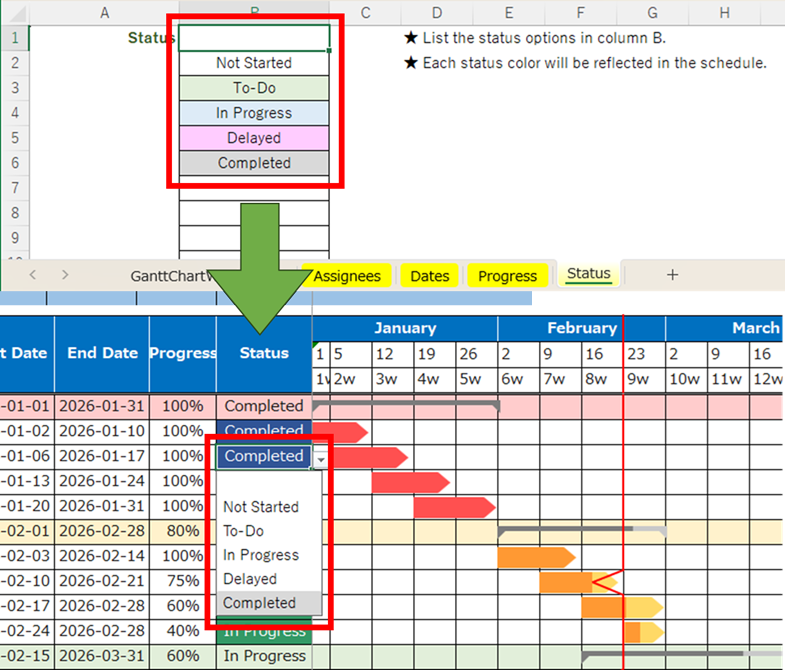
Dropdown Input for Assignees, Dates, and Status
Assignees, dates, progress rates, and status values are supported by dropdown lists.
This reduces input errors and keeps your weekly Excel project schedule consistent.
Filter Tasks by Assignee, Date, and Status
You can use Excel’s built-in filter functions to quickly find specific tasks by assignee, date range, or current status.
This is useful when checking delayed tasks or reviewing weekly workloads.

English Excel Gantt Chart Templates
Looking for more Excel Gantt chart templates?
This page lists all English Gantt chart templates currently available on Excel-NEXT.
Each template is free to download and designed for practical project planning, from detailed schedules to high-level roadmaps.
Choose the format that best matches your planning needs.
-
Daily Gantt Chart (VBA Auto-Drawing)
A macro-enabled daily Gantt chart that automatically draws bars from schedule data for fast updates. -
Daily Gantt Chart (Manual, Macro-Free)
A simple, macro-free daily Gantt chart you can fill in manually—safe and easy to use in most work environments. -
Hourly Gantt Chart (Daily Time Schedule & Event Timetable)
An hourly Gantt-style schedule for daily planning, staff shifts, and event timetables with 30-minute time blocks. -
Weekly Gantt Chart (Manual, Macro-Free)
A weekly Gantt chart for tracking projects by week, ideal for short- to mid-term planning and reporting. -
Monthly Gantt Chart (Manual, Macro-Free)
A monthly roadmap-style Gantt chart with early/mid/late month blocks, suitable for long-term planning and portfolio views. -
Quarterly Gantt Chart (Annual Project Roadmap)
A quarterly Gantt chart with monthly blocks, designed for annual planning and high-level project roadmaps on a single page.
Tip: If you are new to Excel Gantt charts, start with a sample template first.
Sample data helps you quickly understand how to structure schedules and visualize timelines effectively.
Download
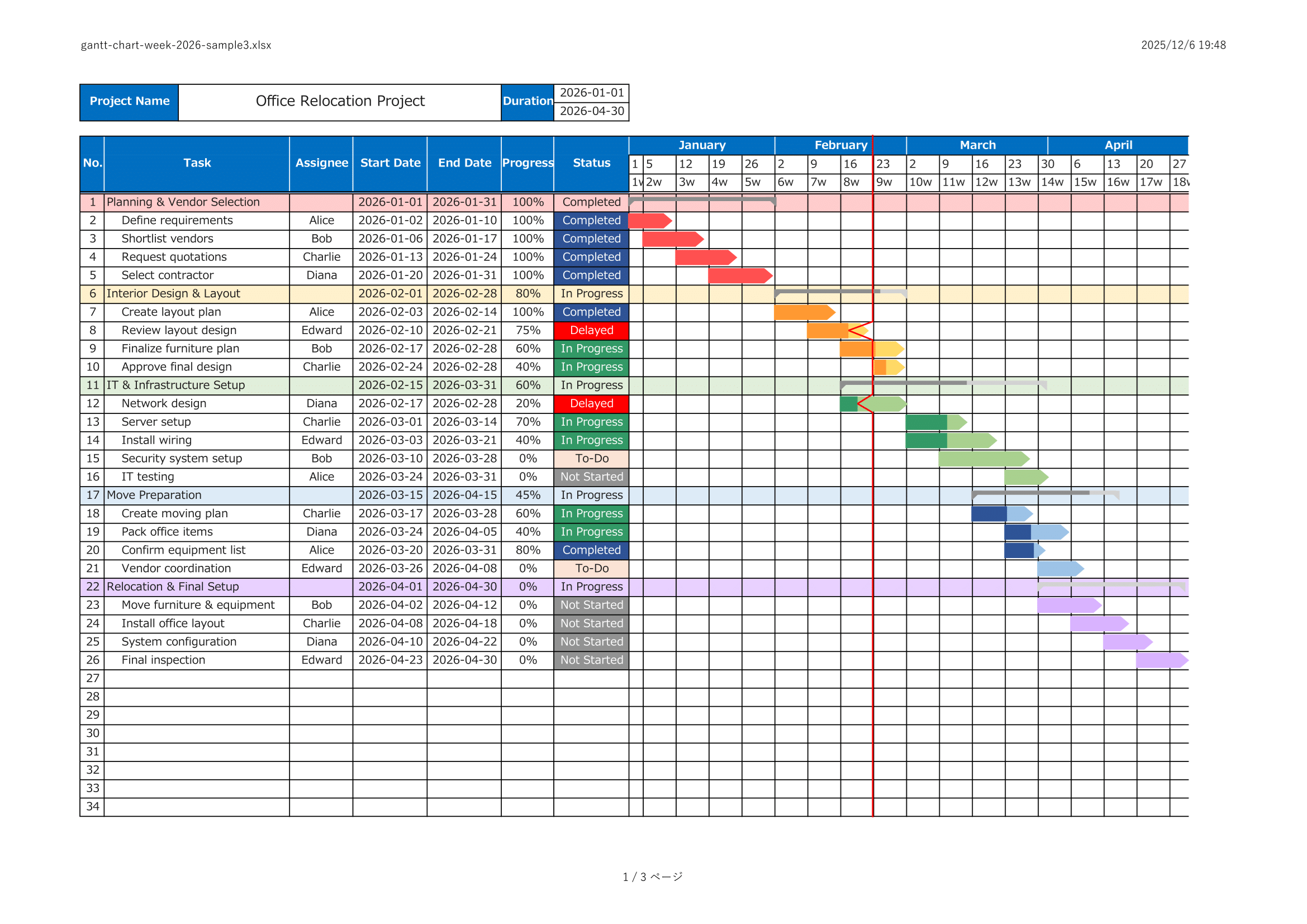
Sample Template – Cell Color Version (Simple)
A clean and lightweight sample that uses only cell colors to draw weekly Gantt bars.
Recommended for users who prefer a simple and minimal project schedule design.

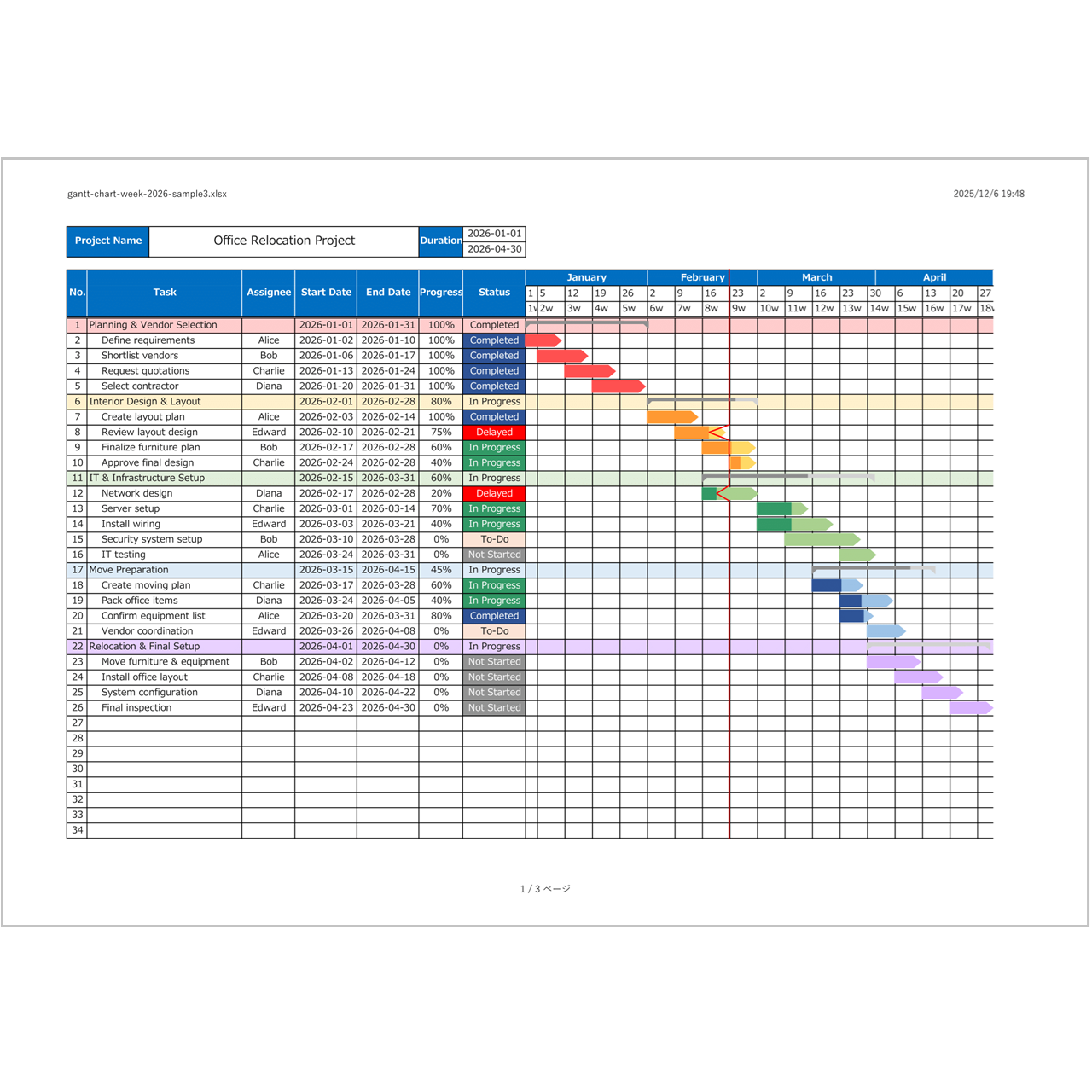
Sample Template – Object Bar Version (with Zig-Zag Lines)
This version uses bar objects with zig-zag connectors to visualize relationships between tasks.
It is helpful when you want to clearly show task progress and task connections.
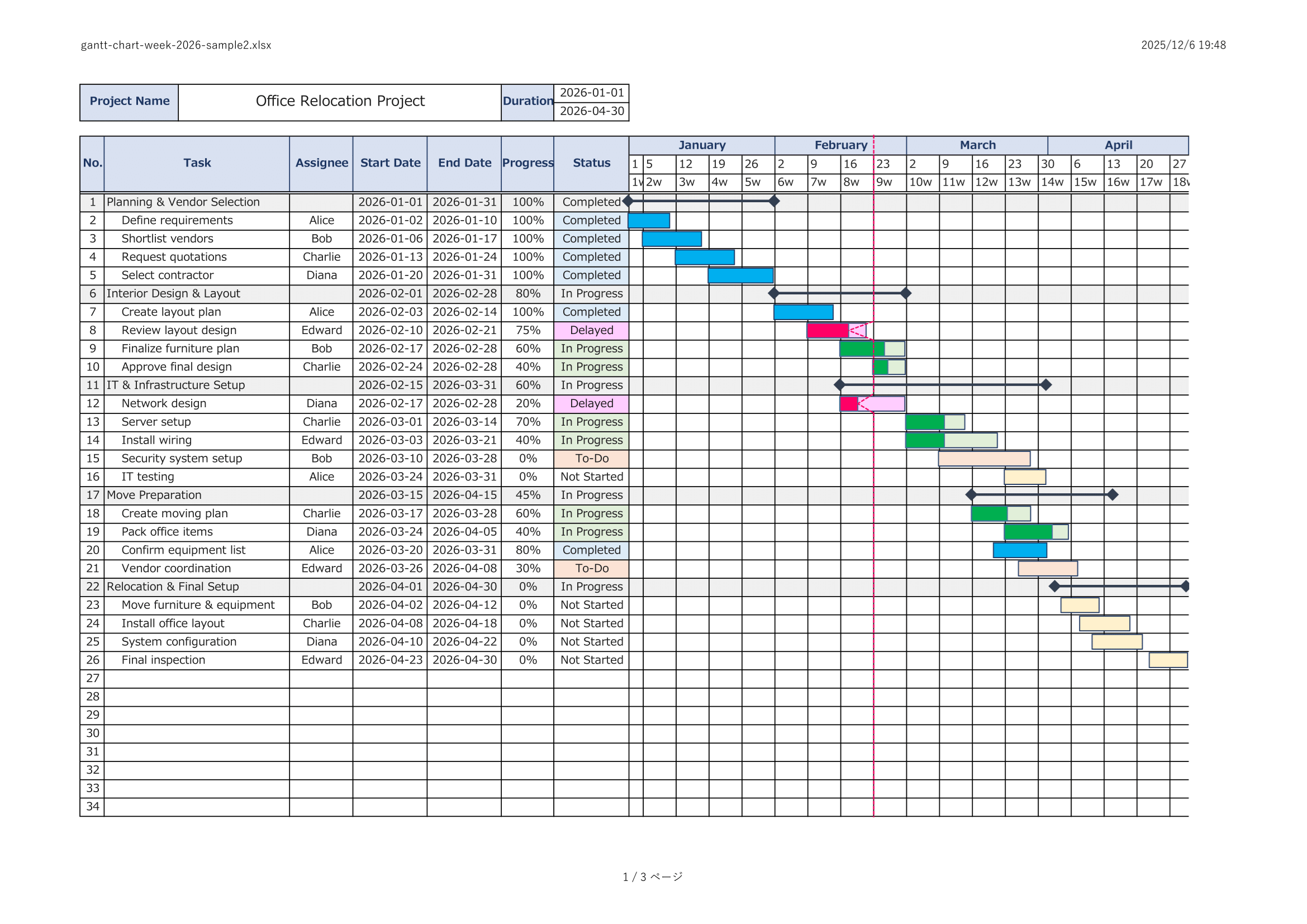
Sample Template – Colorful Version (with Zig-Zag Lines)
A colorful weekly Gantt Chart sample designed for presentations and shared reporting materials.
It adds visual clarity while maintaining a practical weekly schedule structure.
Blank Template
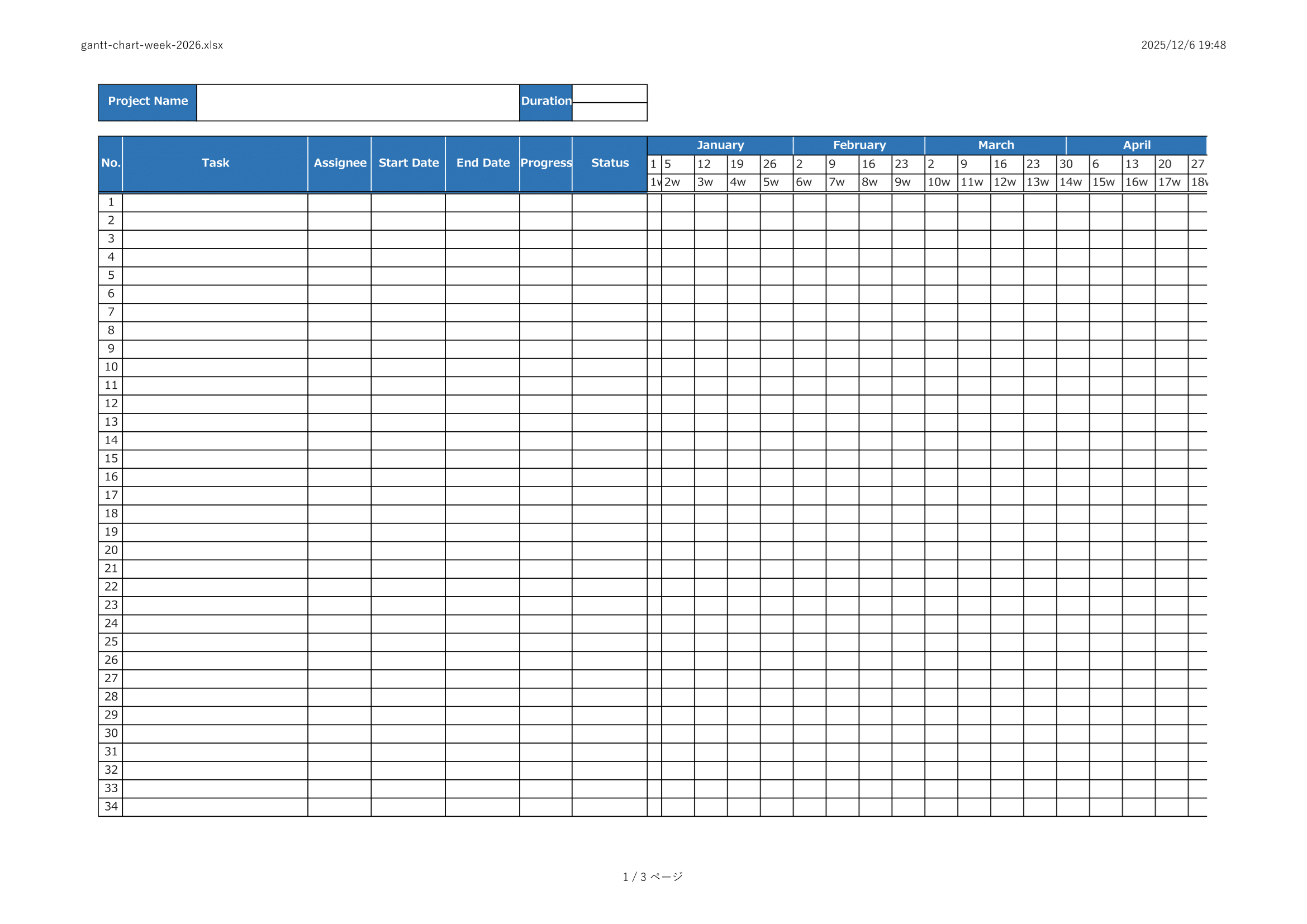
A blank weekly Excel Gantt Chart template with no sample data.
Ideal for users who want to build their project schedule from scratch.
⚠ Disclaimer
This template is provided as-is, without any warranties or guarantees of accuracy, reliability, or fitness for a particular purpose.
The creator assumes no responsibility for any losses or damages resulting from its use.
Redistribution, resale, or modification of this file for commercial purposes is strictly prohibited.
How to Use
- Download the Excel template file.
- Enter the project name.
- Set the project start and end dates.
- List your phases and tasks.
- Enter the assignee, start date, end date, and status for each task.
- Draw the weekly Gantt bars using cell colors or bar objects.